
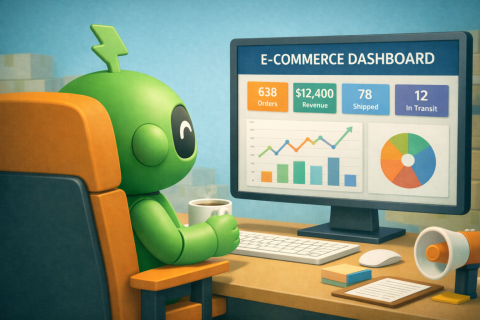
Dashboards are everywhere in ecommerce. Revenue dashboards. Inventory dashboards. Fraud dashboards. Customer experience dashboards. Marketing dashboards.
Open most analytics tools and you’ll find page after page of charts, graphs and metrics.
And yet, many operations teams barely look at them. Not because the data isn’t valuable. But because most dashboards try to show everything, which makes it surprisingly hard to see what actually matters.
The result? It’s a “can’t see the wood for the trees” moment. Teams either ignore dashboards entirely or spend way too much time interpreting them.
A good operations dashboard should have the opposite effect. It should make important signals immediately obvious and hide everything that doesn’t require attention.
In other words: signal over noise. Here’s how to harness automation to help build dashboards your ops team will actually use.
1. Start With Decisions, Not Data
Most dashboards are built backwards. They start with available data and ask, “How shall we visualize it?” However, it could be argued that operations dashboards should start with a different question: “What decisions does the team need to make?”
For ecommerce operations, those decisions often include:
- Are orders processing normally?
- Is fraud risk within acceptable levels?
- Is inventory running low anywhere?
- Are fulfillment or shipping delays increasing?
- Is customer support volume spiking?
If a metric doesn’t help answer one of those questions, it probably doesn’t belong on the dashboard. After all, the goal isn’t to display as much information as possible. It’s to make operational decisions faster and easier.
These types of data points are easy to automate when it comes to collection. Define triggers, set thresholds and rest easy, knowing the information you need will come looking for you, not the other way around.
2. Highlight the Metrics That Signal Problems
Realistically, operations teams don’t need dashboards to confirm that things are working normally. They need dashboards that reveal when something might be going wrong.
This means prioritizing metrics that detect operational issues early. In ecommerce, that often includes signals like:
- Payment authorization failure rates
- Refund and return percentages
- Order processing delays
- Fraud risk scores
- Inventory levels approaching reorder thresholds
- Support ticket volume trends
These metrics act as the canary in the coal mine. If a dashboard doesn’t help teams detect problems quickly, it’s probably serving more as a report than an operational tool. (This is why we love automated exception-only reporting!)
Just as automation is at its most impactful when you set it up to solve a known problem (rather than just tick a job off the list), curating signals to cover specific problem areas within your operations is a powerful way to safeguard their success.
3. Mercilessly Reduce the Number of Metrics
One of the biggest dashboard mistakes is including too many metrics. More charts might feel comprehensive, but they also dilute attention and nuance. Operations dashboards work best when they focus on a small set of critical signals.
Most teams can operate effectively with five to eight key metrics visible at a glance. Additional details can always exist elsewhere, but the main dashboard should answer the big questions quickly.
4. Make Exceptions Visually Obvious
Good dashboards make problems impossible to miss. This doesn’t mean adding more charts, it means designing visuals that highlight when metrics move outside normal ranges.
Effective dashboards often use:
- Threshold indicators
- Conditional formatting
- Trend direction markers
- Highlighted anomaly ranges
For example, a payment authorization rate that drops below a defined threshold should immediately stand out. Operations teams shouldn’t have to interpret complex graphs to notice that something changed. In fact, if a metric requires close inspection to detect an issue, the dashboard isn’t doing its job.
5. Align Dashboards With Exception Alerts
Dashboards and alerts work best when they support each other. Exception alerts notify teams when something unusual happens (we wrote about them here.) Dashboards provide the context needed to understand what’s going on.
For example: An alert might say: “Refund rate exceeded expected threshold.”
The dashboard then shows:
- Which products are driving refunds
- When the spike started
- Whether the issue is increasing or stabilizing
This is where automated alerts can do a lot of heavy lifting. Alerts tell teams something changed. Dashboards help them figure out what factors might have caused this. Together, they create a much more effective operational feedback loop.
6. Design for Clarity, Not Analysis
Operations teams use dashboards differently from analysts. Analysts explore data. They drill down, compare segments and build insights. Ops teams usually want (and need!) something simpler: a fast and clear answer to the question “What’s wrong?”
This means dashboards meant for your ops team should prioritize:
- Clear summaries over deep exploration
- Visual signals over complex breakdowns
- Immediate interpretation over detailed analysis
If a dashboard requires deep interpretation, most ops teams won’t use it consistently.
7. Keep Dashboards Close to Where Work Happens
Another common reason dashboards go unused is simple: they live in the wrong place.
If accessing a dashboard requires opening a separate analytics tool, logging in and navigating through multiple menus, people are less likely to check it regularly.
The most effective dashboards live close to operational workflows, such as:
- Inside operations tools
- In shared team workspaces
- Embedded in monitoring platforms
- Linked directly from alert notifications
When dashboards are easy to access (and quick to interpret) they become part of daily operations rather than a separate reporting exercise.
8. The Best Dashboards Are Quiet Most of the Time
The most effective operations dashboards have a surprisingly simple quality. Most of the time, nothing interesting is happening. Everything sits within expected ranges. The charts look stable. The indicators stay green.
And that’s exactly how it should be. Because when something finally does change, when fraud spikes, orders slow down or inventory runs low, the signal becomes immediately obvious.
No digging required. Just a clear sign that the team’s attention is needed. Which is exactly what a good dashboard should provide.